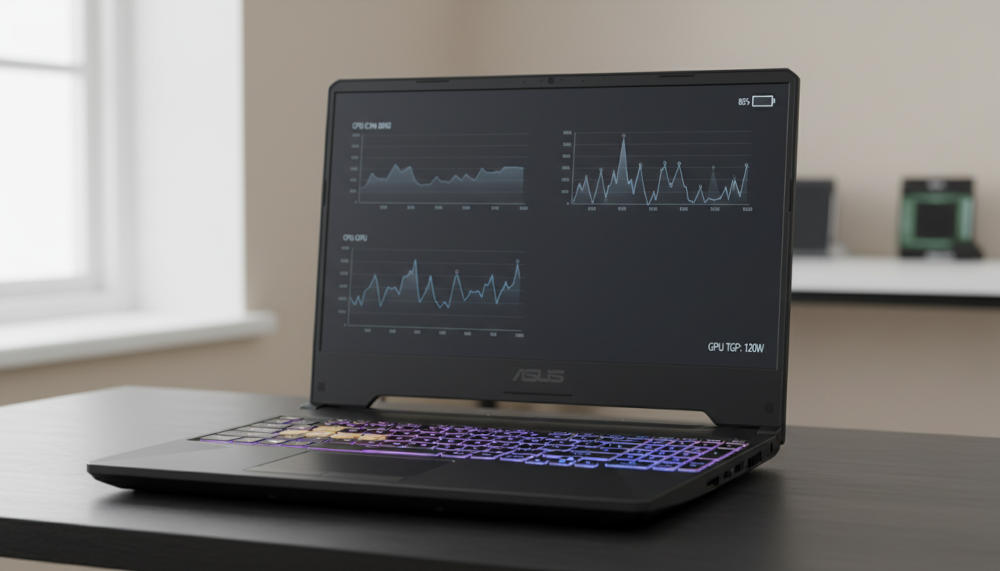
If you’re reading an asus tuf gaming a15 review in 2026, you’re probably chasing the same thing everyone is: maximum FPS per dollar without paying the “premium chassis” tax. And that’s exactly where the ASUS TUF Gaming A15 can be brilliant… or a little frustrating. Not because the laptop is bad, but because the name on the lid doesn’t guarantee the same experience. With the A15, the configuration (GPU tier, wattage/TGP, display, and battery) is what decides whether you get a genuinely great daily driver—or a loud, hot machine that looks better on a spec sheet than it feels in real life.
Why the TUF A15 is tricky to buy in 2026

ASUS has shipped the TUF A15 across multiple model years and regions with meaningful differences in panels, ports, graphics power limits, and battery sizes. Even official spec pages show wildly different display options—from budget “value” panels with limited color to higher-grade screens with full-gamut coverage—plus feature changes like MUX/Advanced Optimus support depending on the exact SKU.
So yes: the TUF A15 can be one of the smartest “gaming laptop asus” buys. But only if you treat it like a family of laptops, not one single product.
Who the TUF A15 is for
The sweet spot audience is pretty broad:
- Students who want a laptop for classes and projects by day, and gaming at night—without being chained to a charger.
- Budget gamers moving from console who want easy 1080p performance.
- Light creators/streamers who benefit from NVIDIA features like NVENC for OBS and GPU acceleration in editing apps.
If you’re shopping for a study-first machine with some gaming muscle, it’s worth also checking a broader guide to the best laptops for programming students—because battery life, keyboard comfort, and upgradeability matter just as much as frame rates.
The specs you must check before buying
1) GPU tier and TGP: the real performance story
You’ll commonly see RTX 4050, RTX 4060, and sometimes RTX 4070 variants depending on region and model year. Here’s the simple version:
- RTX 4050 laptop configs are the value play for 1080p, especially for esports and optimized AAA with sensible settings.
- RTX 4060 laptop configs are the sweet spot for most people: strong 1080p high/ultra performance, better longevity, and enough headroom for external monitors.
- RTX 4070 can be faster, but only pays off if the laptop can actually feed it enough power and cooling.
The key detail is TGP (Total Graphics Power). ASUS’ own materials show that some A15 configurations can push up to 140W on higher-tier GPUs (with Dynamic Boost), which is exactly why one “RTX 4060” A15 can feel great while another feels merely okay.
Rule of thumb: when prices are close, prioritize the higher-TGP RTX 4060 over a power-limited “bigger number” SKU.
2) CPU generation, iGPU, and MUX/Advanced Optimus
For 1080p gaming, most modern Ryzen H-series options are “fast enough” once the GPU is right. What matters more day-to-day is how the laptop manages graphics switching for battery life and smoothness.
Some recent A15 specs explicitly list MUX Switch + NVIDIA Advanced Optimus (a big plus for both gaming performance and unplugged efficiency).
Just be aware: certain Ryzen variants in the broader TUF ecosystem have been sold without an integrated GPU, which can hurt battery behavior because the system leans harder on the discrete GPU.
Translation: don’t overpay for a small CPU bump if it means sacrificing the better screen or bigger battery.
3) The display: refresh rate is not the whole story
This is the #1 place where “asus tuf a15” listings can mislead buyers. ASUS’ own specs show everything from:
- Entry “Value IPS-level” panels with limited color coverage (for example, 62.5% sRGB on some older configurations).
to… - Better panels listing 100% sRGB (FHD) or even 100% DCI-P3 on certain QHD 165Hz variants, plus G-Sync and Advanced Optimus support on those configurations.
If you do any photo/video work—or you simply want games to look punchier—panel quality will affect your happiness more than the difference between 144Hz and 165Hz on paper.
Buying tip: if a store listing doesn’t mention brightness or color coverage, assume it’s the basic panel.
4) Battery: the mobility difference-maker
TUF A15 battery capacity has varied by SKU and year. Official specs show both 48Wh and 90Wh options in the broader A15 lineup, and reviewers have also documented 56Wh vs 90Wh splits on some model years.
In real life, that means:
- The smaller packs are okay for short sessions, but you’ll plan your day around the charger.
- The 90Wh versions can actually feel “laptop-like” for classes, documents, and streaming—especially with hybrid graphics.
If you commute or spend full days on campus, this is the upgrade you’ll appreciate every single day.
Design, keyboard, and upgrades: where the A15 quietly wins
This is the part most “asus tuf review” summaries get right: the A15 tends to be practical. You’re getting a sturdier-than-average budget chassis, a keyboard that’s comfortable for long typing sessions, and internals that are generally friendly to upgrades.
And that matters because the smartest way to buy a value gaming laptop is often:
- Get the right GPU/TGP + screen + battery first, then
- Upgrade RAM and SSD over time.
Many A15 generations also ship with solid connectivity—some configs even listing features like USB4 and USB-C with power delivery/DisplayPort depending on region and model.
(That’s also your reminder to double-check ports before you buy, because ASUS’ I/O can change across SKUs.)
Thermals and fan noise: pick the balanced mode
Budget gaming laptops almost always trade quiet operation for performance when you hit “Turbo.” In the TUF family, multiple recent reviews of related models highlight noticeable fan noise under load—so it’s wise to expect the A15 to behave similarly when you max out power limits.
The practical approach:
- Use Performance mode for long sessions (often the best balance).
- Save Turbo for headphones-on moments when you want every last frame.
- Keep vents clean and avoid suffocating the intake on soft surfaces.
The best ASUS TUF Gaming A15 configurations to buy (and what to skip)
Good: budget 1080p done right
- GPU: RTX 4050 (prefer higher TGP when possible)
- Display: prioritize better color/brightness over “max Hz”
- Battery: aim for the largest pack you can find in your region
- RAM: 16GB dual-channel minimum (upgradeable is fine)
Better: the sweet spot most people should target
- GPU: RTX 4060 with the strongest TGP available
- Display: 100% sRGB (or better) if you can get it
- Battery: 90Wh if available
This is the configuration that typically makes the A15 feel like a “smart buy,” not a compromise machine.
Best (only if the deal is excellent)
- GPU: RTX 4070 only if pricing is close and the unit isn’t heavily power-limited
- Display + battery: don’t accept a downgrade here just to say you bought the higher tier
Skip (unless it’s very cheap)
- Power-limited GPU configs paired with a flashy refresh rate but mediocre panel
- Small battery packs if you actually need mobility
- Single-channel RAM out of the box (fixable, but you’re paying to “finish” the laptop)
Before-you-buy checklist
- Exact GPU and (ideally) TGP
- MUX/Advanced Optimus support (or at least clear hybrid graphics behavior)
- Display specs: color coverage (sRGB/DCI-P3) and brightness if listed
- Battery capacity: smaller pack vs 90Wh
- RAM setup: dual-channel by default?
- Ports: USB-C features, HDMI version, Ethernet presence—varies by SKU
Verdict
The ASUS TUF Gaming A15 remains one of the smartest ways to stretch your money in 2026—if you choose the right configuration. Get the GPU tier and TGP right, avoid the weakest panels, and prioritize the larger battery when possible. Do that, and you end up with a laptop that games hard, upgrades easily, and can actually survive a school day without living on the charger.